
Urgent dispatch pressure
Burst pipes and no-water calls need a cleaner response than spreadsheets and group texts.
Travay helps plumbing companies dispatch urgent calls, keep technician notes organized, and close invoices without adding office chaos.
Use one workflow for leak calls, drain work, installs, callbacks, and maintenance without losing the customer context.
Pain points
These are the practical friction points field service teams keep trying to escape when they evaluate new software.
Burst pipes and no-water calls need a cleaner response than spreadsheets and group texts.
Photo evidence, parts used, and customer signatures should stay tied to the same service record.
Office teams lose time when plumbers finish the work but the invoice still needs to be recreated manually.
Core capabilities
Travay stays focused on the office-to-field loop that matters most for smaller and growing contractors.
Route emergency and scheduled plumbing jobs with schedule windows, visit type, and technician assignment in view.
Plumbers can capture notes, photos, billables, and signatures without fighting a desktop form on their phone.
Use quotes for bigger repairs, send them cleanly, and convert approved work when the customer is ready.
Confirm appointments, send arrival updates, and keep customers informed from the same office queue.
The win is not just another feature list. It is a calmer operating rhythm for the office and a more usable experience for technicians.
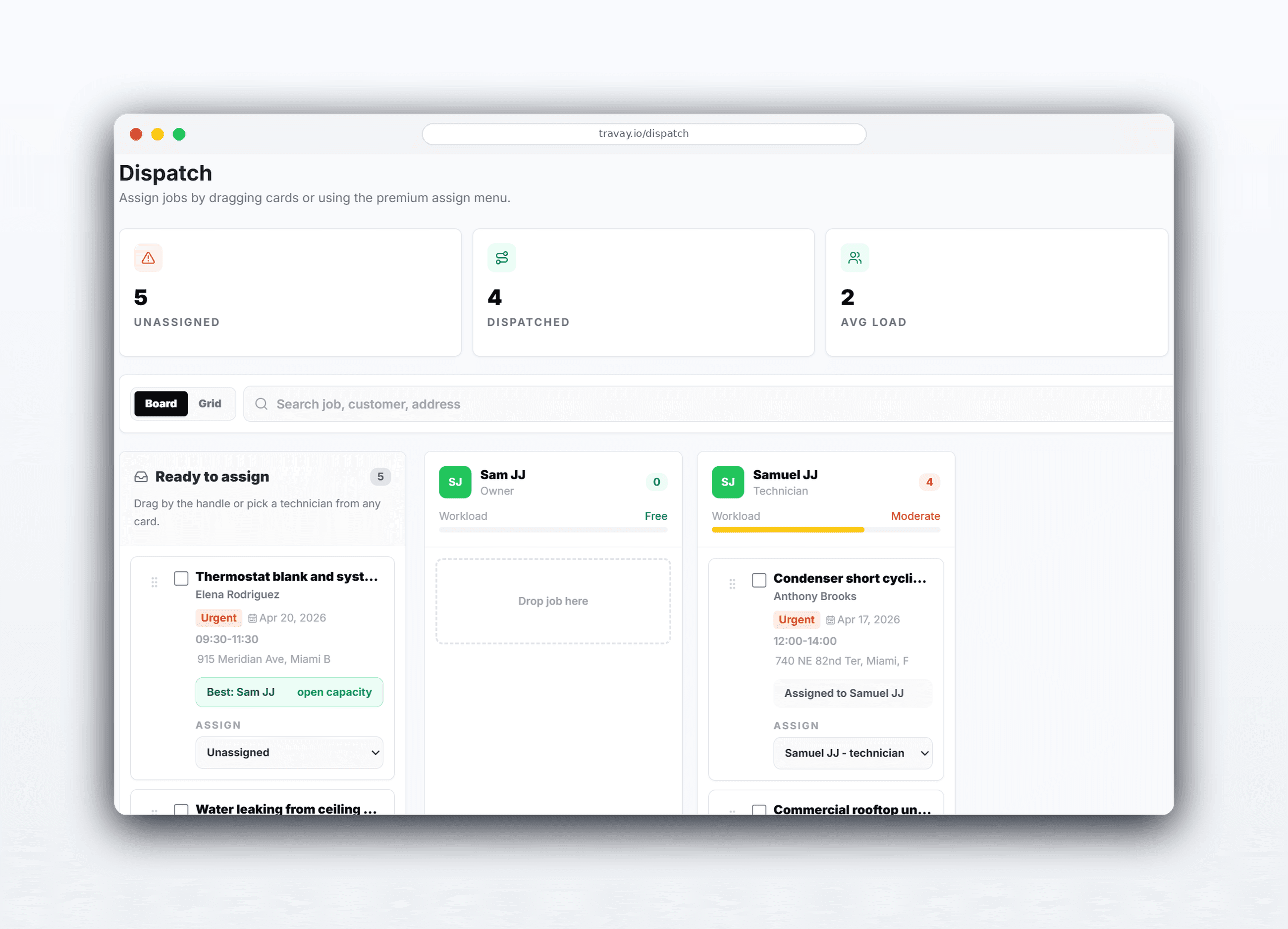
Office staff can see what is unassigned, what is urgent, and who is free to take the next call.
Every service visit keeps the scope, photos, technician notes, and invoice history on one customer record.
Completed jobs are easier to bill when the field data is captured cleanly the first time.
Real workflow examples
Every page below is written around the real office-to-field loops that matter for service businesses: assign work, complete the stop, quote when needed, and invoice without losing the context.
Route the right tech fast, keep the customer informed, and bring the completed work back invoice-ready.
Use a quote visit first, then schedule approved work cleanly when the customer agrees.
Related pages
A few practical questions teams usually ask before they start a trial or book a walkthrough.
Yes. Travay is designed to support both reactive dispatch and scheduled service work in one workflow.
Yes. The technician mobile flow includes work notes, photos, billables, and signature capture.
No. Travay keeps quote approval and final scheduling separate so the office can assign the right crew for the approved work date.
Yes. A company can run Travay first and connect Stripe later when it is ready to accept customer payments online.
If your team wants dispatch, jobs, estimates, invoices, payments, photos, notes, and signatures in one modern flow, Travay is ready for a proper look.