
Too many disconnected tools
Small service businesses often run dispatch in one system, notes in another, and invoicing somewhere else.
Travay gives HVAC, plumbing, electrical, and service businesses one clean operating system for dispatch, jobs, estimates, invoices, payments, photos, notes, and signatures.
No bloated enterprise setup. No per-tech chaos. Just a practical workflow the office and the field can both use.
Pain points
These are the practical friction points field service teams keep trying to escape when they evaluate new software.
Small service businesses often run dispatch in one system, notes in another, and invoicing somewhere else.
A field service app only works if technicians can use it quickly from a phone without fighting the UI.
Owners and office teams need one view of jobs, quotes, communication, invoicing, and customer records.
Core capabilities
Travay stays focused on the office-to-field loop that matters most for smaller and growing contractors.
Create service jobs, see visit purpose clearly, capture scope, and follow the work through completion.
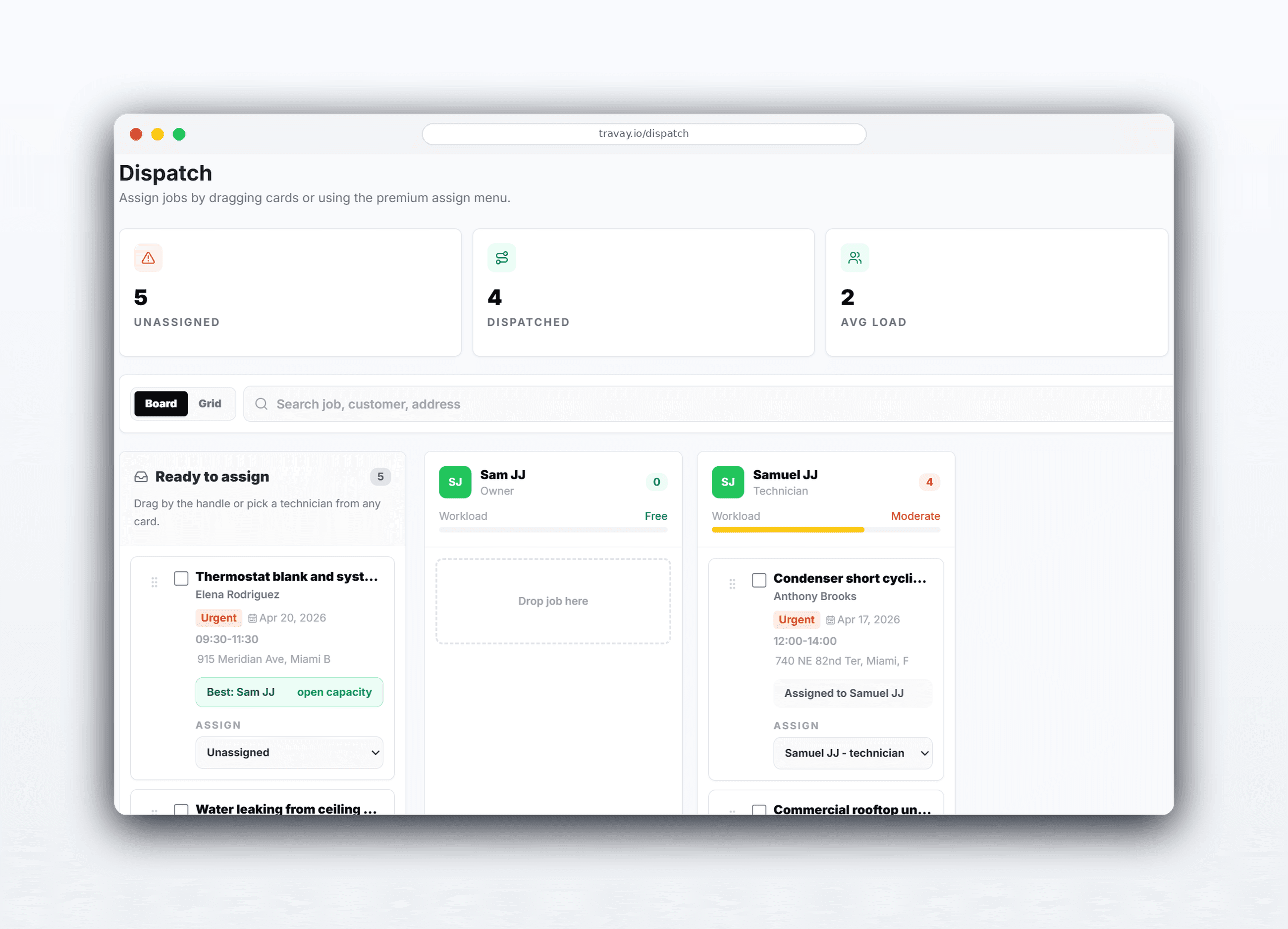
Use the dispatch board for the big planning view and the jobs list for quick assign or reassign actions.
Keep draft, sent, approved, and ready-to-schedule quotes organized without creating duplicate work.
Send invoices, collect signatures, and optionally connect customer payments through Stripe Connect.
The win is not just another feature list. It is a calmer operating rhythm for the office and a more usable experience for technicians.
Customer data, jobs, notes, photos, quotes, and invoices stay connected instead of spreading across tabs and texts.
Clean queue-driven pages help the office focus on the next action without losing the big picture.
Travay is designed to feel approachable for smaller teams that do not want a giant rollout project.
Real workflow examples
Every page below is written around the real office-to-field loops that matter for service businesses: assign work, complete the stop, quote when needed, and invoice without losing the context.
Start from the dispatch board or jobs list, then move through quote approval, communication, and invoicing with shared customer context.
Technicians move through the day with a focus job, next jobs, history, and a mobile-first completion flow.
Related pages
A few practical questions teams usually ask before they start a trial or book a walkthrough.
Field service management software helps service businesses coordinate jobs, dispatch, technicians, customer communication, estimates, invoices, and related records in one system.
Travay is positioned for HVAC first, but the workflow also fits plumbing, electrical, and other service businesses with similar dispatch and field completion needs.
Yes. The product is designed so job details, notes, customer history, and invoice context stay shared between office and technician views.
Travay is designed for smaller and growing contractors that want a modern, faster-to-adopt platform rather than a bloated enterprise rollout.
If your team wants dispatch, jobs, estimates, invoices, payments, photos, notes, and signatures in one modern flow, Travay is ready for a proper look.