
Pretty demos with no workflow truth
Teams need to see the actual handoffs between office, technician, quote approval, and invoicing.
Walk through the exact office-to-tech workflow your team will use, from the first customer call to the final invoice and follow-up.
A good demo should show how jobs move, how techs actually use the app, and how the office gets paid faster without adding complexity.
Pain points
These are the practical friction points field service teams keep trying to escape when they evaluate new software.
Teams need to see the actual handoffs between office, technician, quote approval, and invoicing.
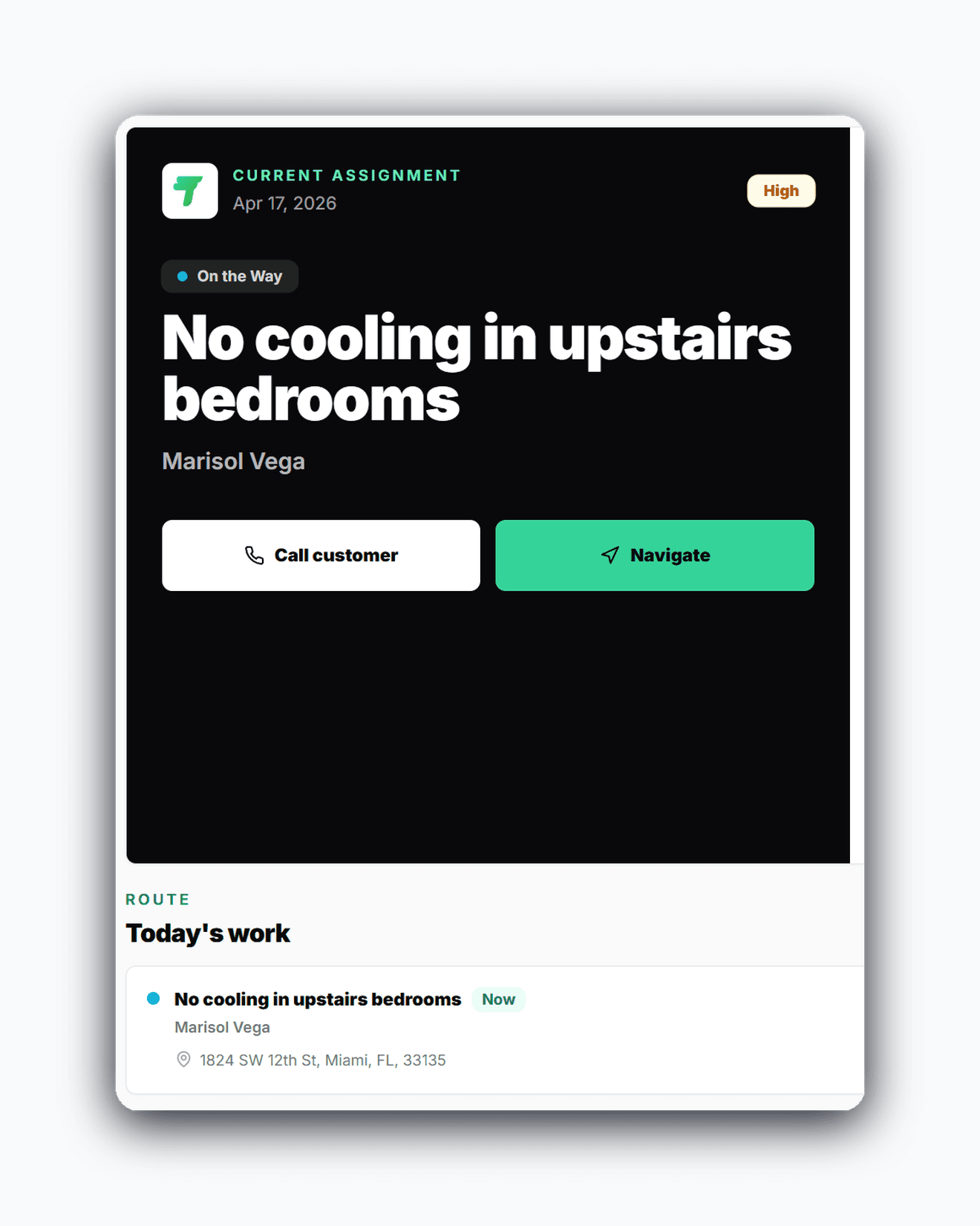
A field service platform has to show what the technician sees on mobile, not just a dashboard.
After a demo, owners should know the right plan, setup flow, and launch checklist for their shop.
Core capabilities
Travay stays focused on the office-to-field loop that matters most for smaller and growing contractors.
See how the office assigns work, manages quote-ready visits, and keeps the day moving without a bloated scheduler.
Follow the active job, work notes, completion flow, photos, signatures, and callback history on mobile.
Watch estimates move into approved work and invoice-ready closeout without double entry.
Match the right plan, branding, messaging, and customer payment setup to the stage your team is in.
The win is not just another feature list. It is a calmer operating rhythm for the office and a more usable experience for technicians.
A useful walkthrough makes it obvious whether Travay matches the pace, size, and workflow of your service business.
Seeing the office and field flow together helps teams understand adoption before changing tools.
Owners and office leads can turn a demo into a practical launch plan instead of a vague software impression.
Real workflow examples
Every page below is written around the real office-to-field loops that matter for service businesses: assign work, complete the stop, quote when needed, and invoice without losing the context.
Dispatchers and office managers follow the journey from new customer record to sent invoice.
Technicians see how the day flows once the job is on the phone.
Related pages
A few practical questions teams usually ask before they start a trial or book a walkthrough.
A strong demo should include dispatch, the technician mobile flow, quote handling, invoice closeout, and the subscription/payment setup that matters for your team.
Yes. Travay supports different visit purposes so a diagnostic or quote visit does not get confused with approved work.
Yes. Travay adapts for solo operators and growing teams, so the walkthrough can focus on either solo scheduling or multi-tech dispatch.
Choose the right plan, complete company setup, and invite the office and field users who will run the workflow day to day.
If your team wants dispatch, jobs, estimates, invoices, payments, photos, notes, and signatures in one modern flow, Travay is ready for a proper look.