
No-cool chaos
Peak-season calls pile up quickly when dispatch, notes, and technician updates live in separate tools.
Travay helps HVAC teams schedule jobs, route technicians, capture diagnostic notes, send estimates, and invoice faster from one modern workspace.
Use one system for maintenance visits, no-cool calls, replacements, callbacks, and invoice-ready closeout.
Pain points
These are the practical friction points field service teams keep trying to escape when they evaluate new software.
Peak-season calls pile up quickly when dispatch, notes, and technician updates live in separate tools.
Diagnostic visits and approved replacement work need different workflows, but many apps blur them together.
Photos, parts, and work performed should not have to be rebuilt after the tech leaves the driveway.
Core capabilities
Travay stays focused on the office-to-field loop that matters most for smaller and growing contractors.
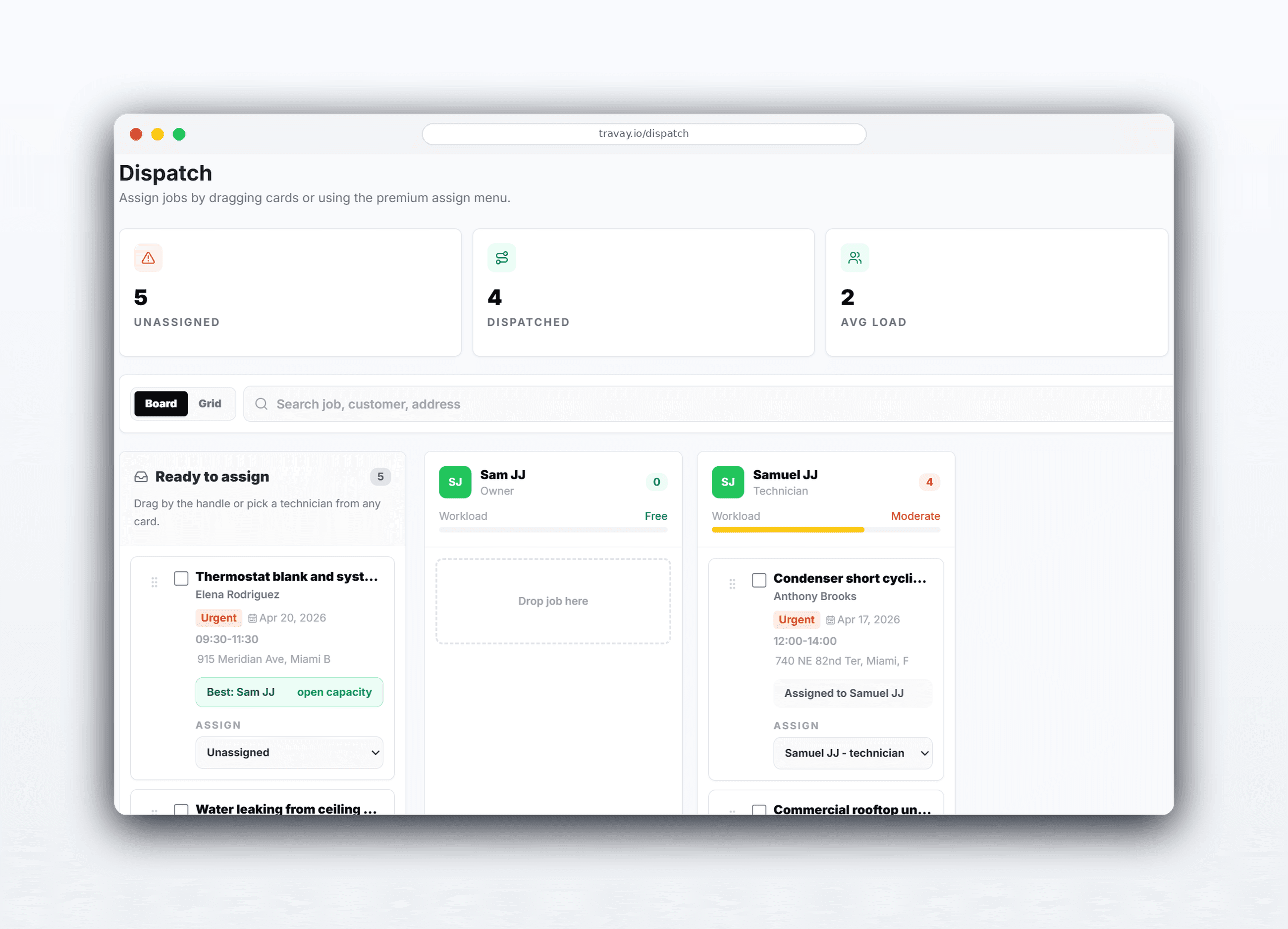
Assign by urgency, schedule window, and technician availability while keeping customer and equipment notes visible.
Send a tech to inspect, document findings, and build a quote without presenting the visit as approved work.
Field teams get the service address, customer contact, scope, work notes, photos, billables, and signature in one phone-first experience.
Move completed jobs into invoices and optionally collect online payments through the customer’s own Stripe account.
The win is not just another feature list. It is a calmer operating rhythm for the office and a more usable experience for technicians.
The office sees what is assigned, what is waiting on approval, and what is ready to invoice without chasing people for updates.
The technician view focuses on the current job, the next stop, and a clean completion path instead of a cluttered field app.
Customer details, service address, notes, photos, estimates, and invoice history stay connected across the job lifecycle.
Real workflow examples
Every page below is written around the real office-to-field loops that matter for service businesses: assign work, complete the stop, quote when needed, and invoice without losing the context.
Dispatch triages a hot call, routes the right technician, and has an invoice ready as soon as work is complete.
Use a quote visit for the diagnosis, then schedule approved work separately when the customer says yes.
Related pages
A few practical questions teams usually ask before they start a trial or book a walkthrough.
Travay is positioned for HVAC first while still supporting plumbing, electrical, and other field service teams that need the same clean dispatch-to-invoice workflow.
Yes. Travay supports maintenance visits, approved work, callbacks, and diagnostic or quote visits as distinct service flows.
Yes. The technician workflow is designed mobile-first for active jobs, notes, photos, billables, and signatures.
Yes, on Growth. Online customer payments are connected through the business’s own Stripe account so payouts go directly to the contractor.
If your team wants dispatch, jobs, estimates, invoices, payments, photos, notes, and signatures in one modern flow, Travay is ready for a proper look.