
Feature breadth vs daily clarity
Some teams would rather have fewer moving parts and a tighter workflow than a giant set of adjacent modules.
Travay is built for HVAC, plumbing, electrical, and service teams that want dispatch, jobs, estimates, invoices, and technician mobile workflow in a simpler, more modern package.
Jobber is a mature field service platform with strong structure. Travay is positioned for teams that want a calmer interface and faster day-to-day clarity.
Pain points
These are the practical friction points field service teams keep trying to escape when they evaluate new software.
Some teams would rather have fewer moving parts and a tighter workflow than a giant set of adjacent modules.
Field service teams need to find old work fast and keep active jobs obvious without extra clutter.
Many contractors now expect SaaS software to feel cleaner, faster, and more premium than legacy admin tools.
Core capabilities
Travay stays focused on the office-to-field loop that matters most for smaller and growing contractors.
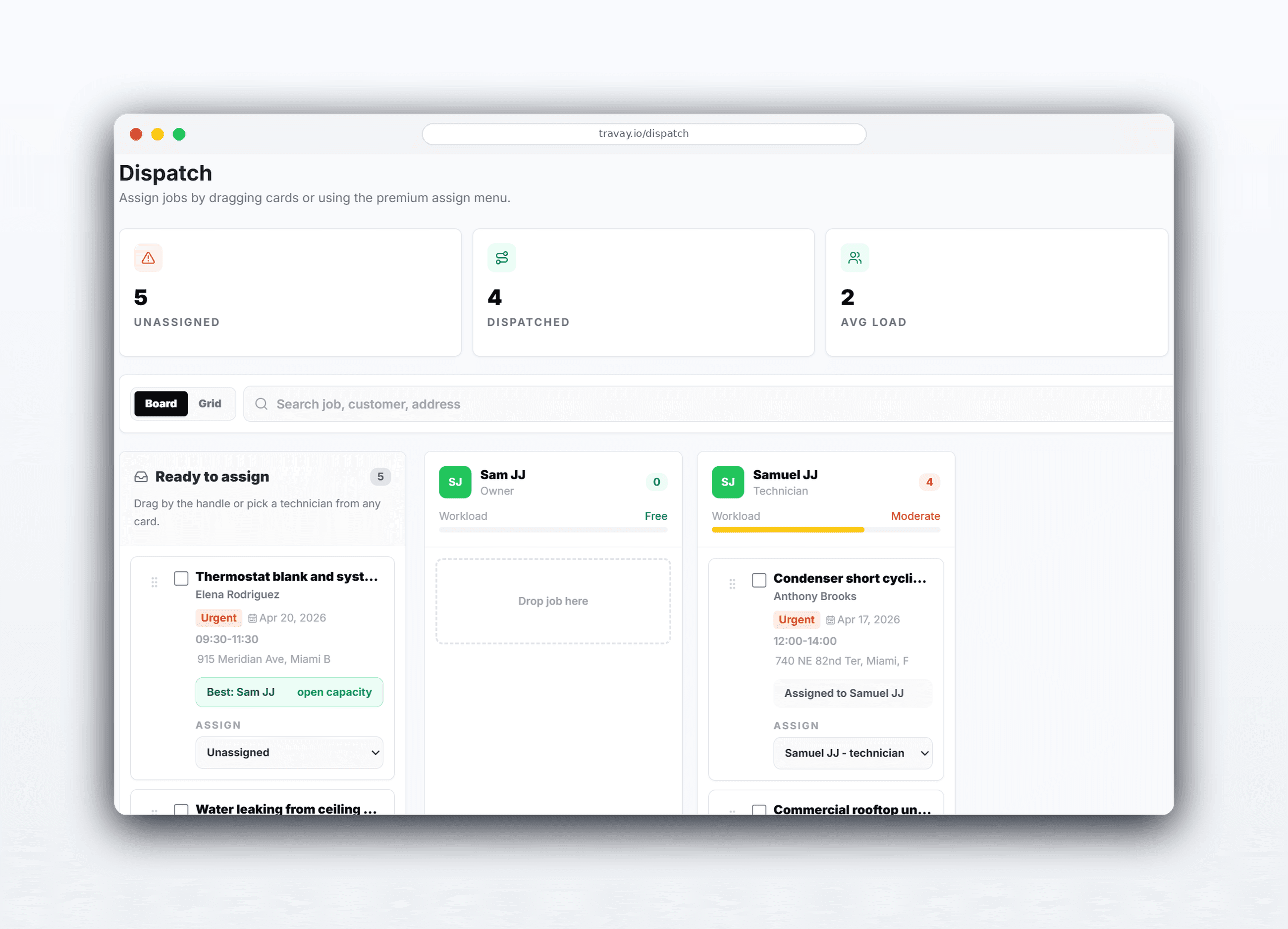
Travay emphasizes an operations center, clear priorities, and a cleaner daily read of what matters now.
The mobile workflow is built around work, search, history, and completion instead of burying the active job.
Diagnostic or quote visits stay distinct from approved work so the job type does not drift in the UI.
Quotes, approved work, invoices, and customer payments stay part of one operating flow instead of loose handoffs.
The win is not just another feature list. It is a calmer operating rhythm for the office and a more usable experience for technicians.
The office can focus on the next assignment, approval, or invoice step without a crowded workspace.
Travay is designed to feel like a premium, modern product from the first screen instead of a legacy admin tool.
Smaller and growing contractors often benefit more from clarity and speed than from broad feature sprawl.
Real workflow examples
Every page below is written around the real office-to-field loops that matter for service businesses: assign work, complete the stop, quote when needed, and invoice without losing the context.
Travay is optimized to make queue handling, quote scheduling, and invoice follow-up feel more deliberate.
The mobile flow puts the active job first and moves the tech back to a clean main screen after completion.
This comparison stays focused on fit, onboarding style, and day-to-day experience rather than risky feature-by-feature claims.
| Criteria | Travay | Jobber |
|---|---|---|
| Best fit | Growing contractors prioritizing modern UX and clarity | Teams wanting a mature, broad field service platform |
| Technician mobile experience | Focus-job workflow with strong callback recovery | Established mobile structure with broader surrounding modules |
| Dispatch feel | Queue-driven and cleaner for smaller operating teams | Mature scheduling and search depth |
| Pricing posture | Predictable monthly plans and clear upgrade prompts | See vendor site for current pricing and packages |
This comparison focuses on workflow fit and product feel, not exhaustive feature parity. Review the vendor’s current site for exact details.
Related pages
A few practical questions teams usually ask before they start a trial or book a walkthrough.
Jobber is well known, but some service businesses want a calmer interface, stronger technician mobile UX, and a more modern dispatch-to-invoice flow.
No. Travay is not positioned as a line-by-line copy of every mature platform feature. It is positioned around a cleaner workflow and better daily usability for smaller and growing teams.
Yes. Travay keeps dispatch, quotes, jobs, invoices, communications, and customer payments connected in one flow.
Teams that want modern mobile UX, predictable pricing, and a less cluttered operating system are the strongest fit.
If your team wants dispatch, jobs, estimates, invoices, payments, photos, notes, and signatures in one modern flow, Travay is ready for a proper look.